A map of New York that fills in when you walk.
Walk the streets around a block and it lights up on your map. Explore New York one block at a time — until five boroughs feel like a city you actually know.
This is what your New York looks like.
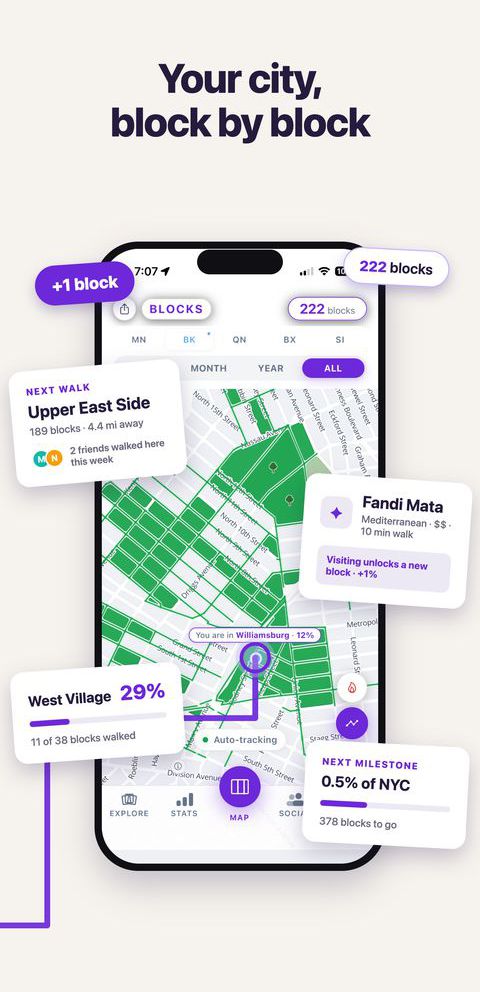
Your city, block by block
One map of everywhere you have walked in New York, built a block at a time and kept for as long as you live here.
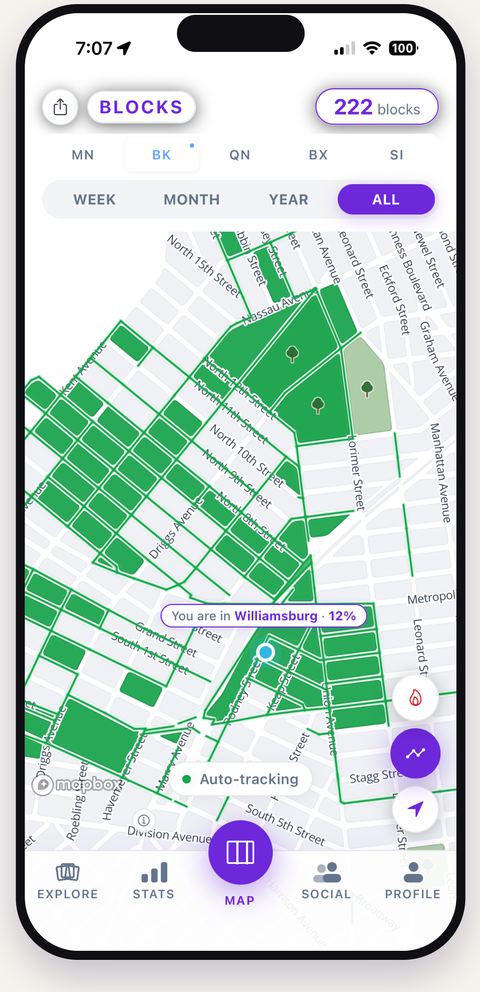
Every street you walk lights up
Walk it once and it turns plum on your map. Blocks tracks from your pocket, so there is nothing to start or stop.
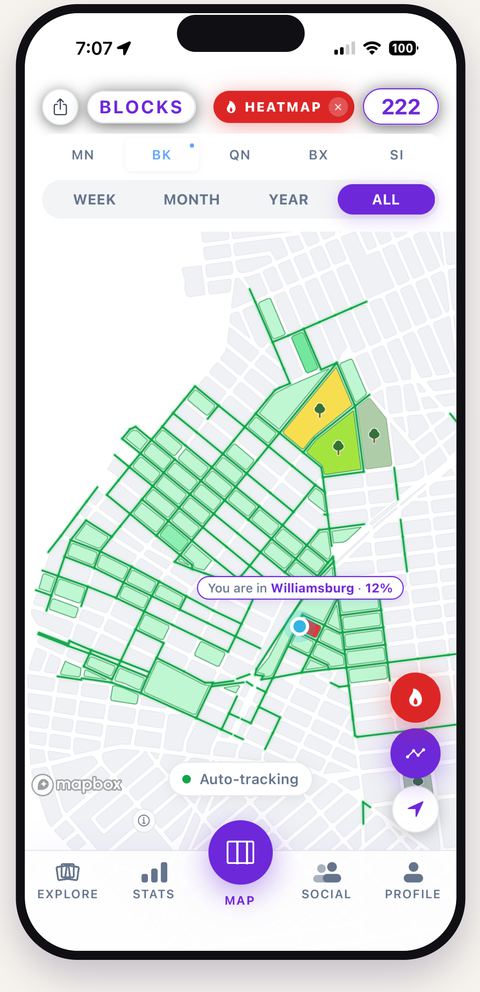
Watch your map fill in
Walk every street bordering a block and the block fills for good. Across weeks, the shape of your city appears.
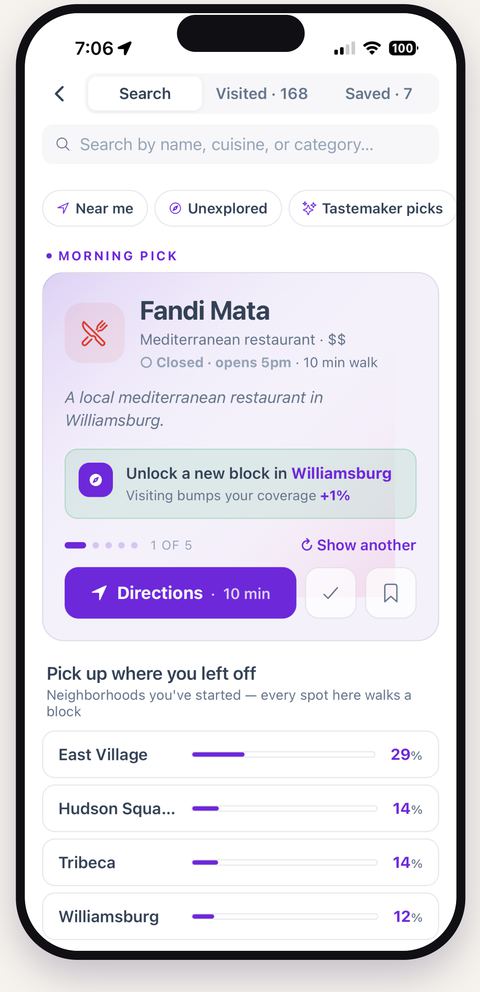
Know where to go next
Every restaurant and bar in NYC is tied to a block. See what is worth walking to on the blocks you have not covered.
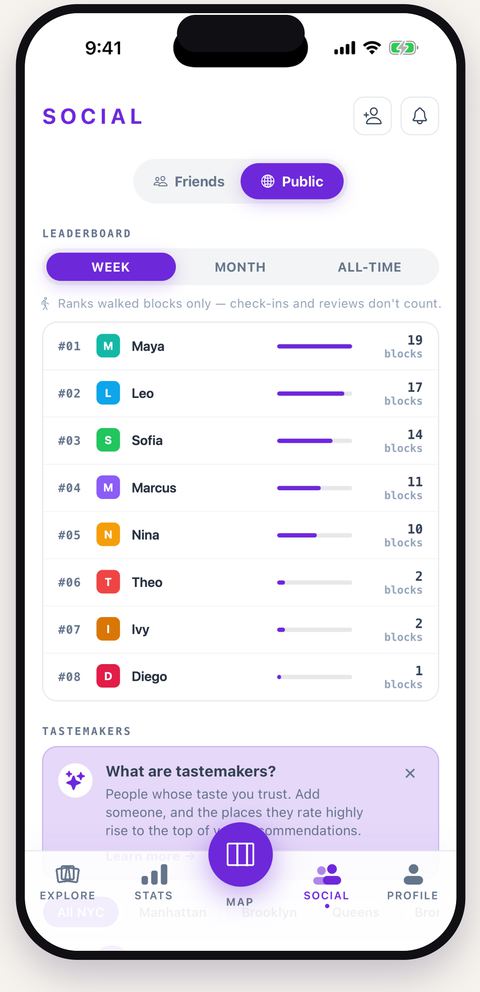
Explore with friends
Follow friends, compare blocks walked, and see which places they rated on the way.
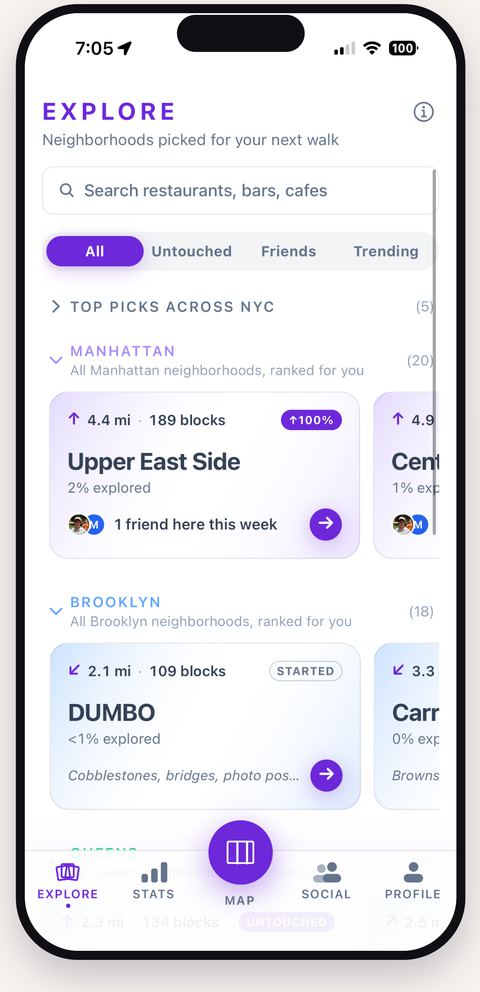
Find your next neighborhood
56 neighborhoods, each with its own completion. Most New Yorkers know five of them well.
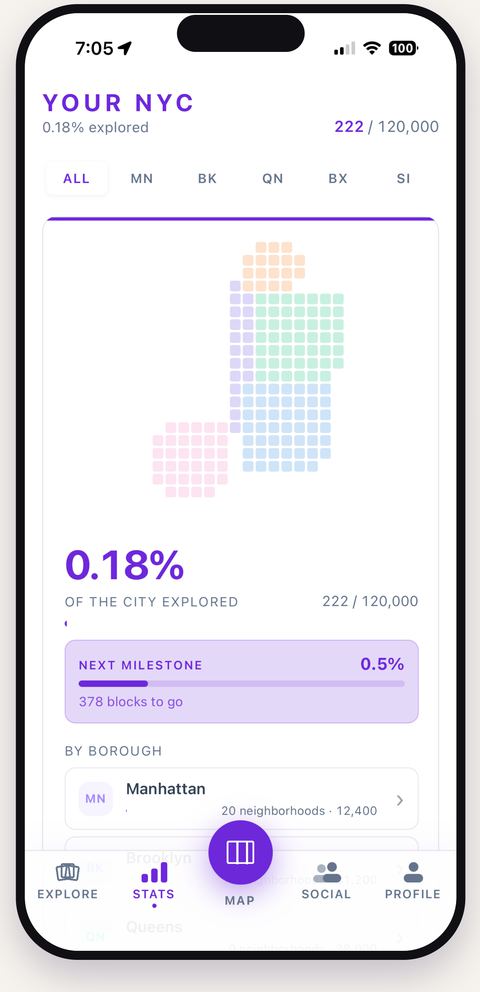
How much of NYC have you walked?
A real percentage of a real city — 33,114 blocks across the five boroughs, weighted by the streets you actually covered.
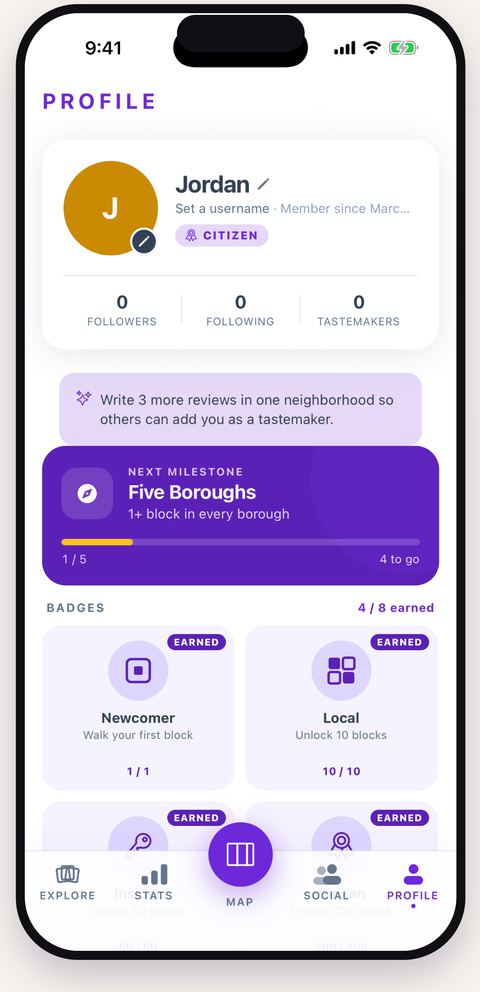
From Tourist to True New Yorker
Six tiers, earned by blocks. Nobody starts as a local.
1 / 8
Walk a block. We mark it on your map.
NYC has 33,114 city blocks. Blocks tracks which ones you've walked. Go for a walk and watch your own map of New York fill in.
Set it up once. Then just walk.
An errand, a coffee run, a Saturday wander — they all count. Blocks runs quietly in the background and tracks every street you cover. You never have to open the app to start a walk.
Walk every street that borders a block.
When you've walked all the streets around a block — three sides, four, five, whatever the real shape — the block is yours. It fills plum on your map. Half-finished blocks wait around as long as you need.
Watch your NYC fill in over time.
One block makes you a Newcomer. A thousand makes you a True New Yorker — a title most lifelong New Yorkers haven't actually earned.
Built on every block in the city.
A walking app that fits a New Yorker's brain.
Walk, watch your map of New York fill in. Discover neighborhoods you've never been to. Find the spots worth walking to next.
Every street you walk lights up. Every block you finish turns plum.
Just walk. Blocks tracks the rest. Slowly, you build your own map of New York — block by block, for as long as you live here.
56 NYC neighborhoods. Most New Yorkers know five.
Blocks shows you the ones you've barely walked, ranked by what's worth seeing. Pick one, invite a friend, go fill it in together.

 Walk East Village with Maya & Andrew
+ Invite
Walk East Village with Maya & Andrew
+ Invite
Restaurants and bars in the blocks you haven't walked yet.
Every spot in NYC is tied to a block. Sorted by what your friends and trusted locals rate highly. Try a new place, walk a new block.
Maya rated ★★★★★
 3 friends visited
Dea's pick
3 friends visited
Dea's pick
Walks and runs from your Apple Watch fill in your map.
Connect Apple Health once and Blocks reads the walks and runs you recorded somewhere else — an Apple Watch, Strava, Nike Run Club. Your last 30 days fill in straight away, and every run after that arrives on its own. Read-only: Blocks never writes anything back to Health.
It marks off blocks without you opening the app.
Leave the phone in your pocket. Blocks tracks in the background and uses your phone's motion sensor to tell walking from driving, so a bus ride up Third Avenue doesn't credit thirty blocks. If you'd rather it sipped less power, Battery Saver samples a third as often.
The GPS trace stays on your phone.
What Blocks keeps is which streets you covered and when — not the raw coordinates behind them. Your map is yours: a private profile shares nothing, and even as a friend nobody sees a live location, only the blocks you've finished.
See how you stack up against other New Yorkers.
Leaderboards by blocks walked — this week, this month, or all time — among friends or citywide. Opting into the public board is your call; leave it off and you still see your friends.
A recap of the walking you never watched happen.
Because Blocks tracks from your pocket, most of what it records is walking you didn't see. Open the app and there's a card waiting: the streets by name, broken down day by day. Tap any day to see just that day on your map.
Free. No ads, no subscription.
Blocks is free to use. There is nothing to buy inside it, and no advertising — your walking is never sold or used to target you.
The honest FAQ.
What is Blocks?
Blocks turns walking New York into a map you fill in. Every street you walk lights up, and once you've walked all the way around a block, it fills in for good. There are 33,114 real city blocks across the five boroughs — each one the shape it actually is on the ground. Along the way you can rate the places you go, follow friends, and see which neighborhoods you've genuinely covered.
Is it free?
Yes. The core experience — walk, fill in your map, rate places, invite friends — is free and stays free.
Does it work outside NYC?
Not yet. We built Blocks for New York first. Other cities may come later.
Do I have to open the app to walk?
No. Turn on location access once during setup, and Blocks tracks your walks in the background. Open the app when you want to see your map.
Will it kill my battery?
No. Blocks tracks you while you're walking and rests when you're not — on the subway, in a car, sitting at home. Most people barely notice it.
Can it import my Apple Watch runs?
Yes. Connect Apple Health from your profile and Blocks reads the walks and runs you recorded elsewhere — an Apple Watch, Strava, Nike Run Club, anything that saves to Health. Your last 30 days fill in at once, and new runs arrive on their own after that. It is read-only: Blocks never writes anything back to Health, and you can stop it any time in iOS Settings → Health → Data Access & Devices.
What counts as walking a block?
Walk every street that borders a block, and the block fills in. You can do it across many walks — Blocks remembers everything.
What's a tastemaker?
Someone whose taste you trust. Add a friend (or a local) as a tastemaker, and the places they rate highly rise to the top of your search and recommendations. The more they rate, the more weight they carry.
What data do you collect?
The blocks you walk and the places you rate. If you connect Apple Health, we read your walks and runs to fill in streets you already covered — the GPS trace stays on your phone, and what we keep is which streets it covered and when. We don’t sell your data. We don't share it with advertisers. You can delete everything anytime. See our Privacy Policy for more.
Can my friends see where I walk?
Friends see your stats — block count, tier, and which neighborhoods you've explored. They never see your live location. You can also make your profile fully private in Settings.
Can I delete my account?
Anytime. In the app, go to Profile → Account → Delete account. Or email [email protected] and we'll delete everything within 30 days.
What if I need help?
Email [email protected] or check the Support page. A real person answers, usually within a day.
Your map is waiting.
Blocks is free on the App Store. Download it, take a walk, and watch your first block fill in.